 Anno Domini 2004
Anno Domini 2004
Anno Domini 2004 New Features Overview
Anno Domini 2004 contains over fifteen new modifications from the last release of Anno Domini 2003 at the beginning of December 2003. A summary of the new features with example screen shots is shown below. Click here to download this page in PDF format.
24 Month Calendar Report
All new Calendar Report which allows you to view and print yearly calendars for any two consecutive years (available to Standard users only). An example is shown below for the years 2003 and 2004.

 World Location Position
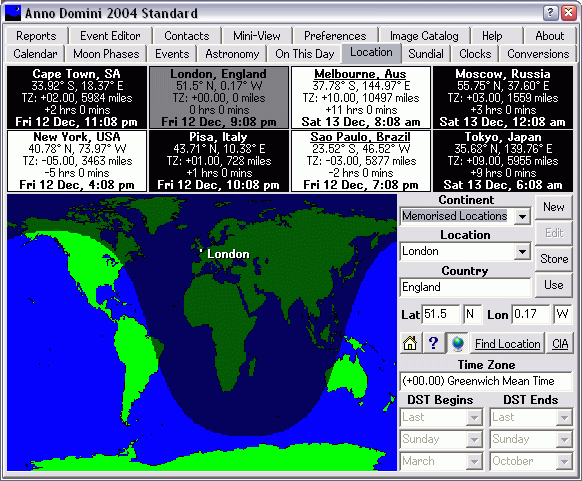
A globe icon has been added to the Location tab which allows you to toggle between viewing the existing map of world time zones or the position of the currently chosen home location on the world map with the current sundial view. When any location from the Anno Domini database is chosen, you will see that location highlighted on the map as below for London, United Kingdom.
 Compass position
A new compass button has been added which will show in real-time the exact latitude and longitude of the mouse pointer on the world map.
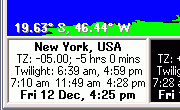
The button acts as a toggle. When depressed, the mouse position is automatically updated in the bottom left-hand corner of the window. When the button is up, the current position is not shown.
You can store whether the program defaults to showing the compass position or not by clicking on the "Save Settings" button from the Preference tab when you have first chosen your preferred setting.
 Sundial City Labels
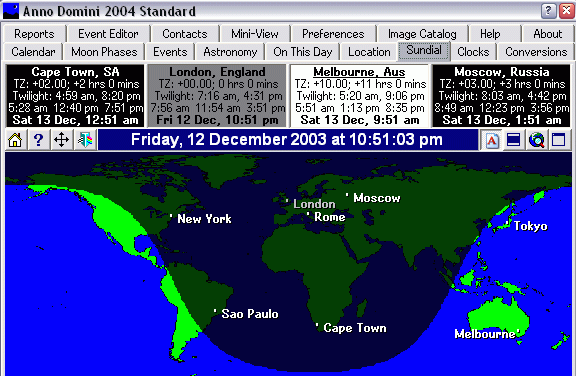
You can now pinpoint each of your 8 chosen locations on top of the sundial view as per the example below.
 Sundial Brightness
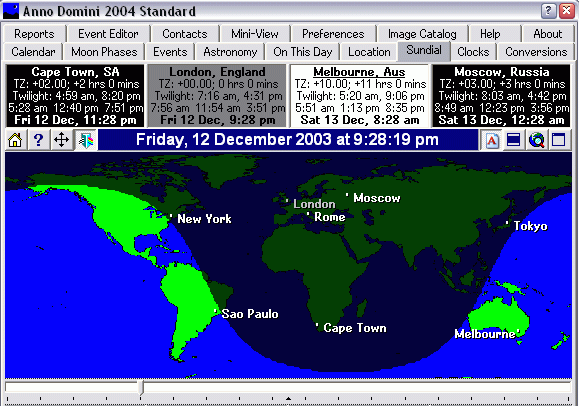
The brightness of the Sundial can be altered by the prism button which depressed shows the slider control.
Menu Icons in XP/2000
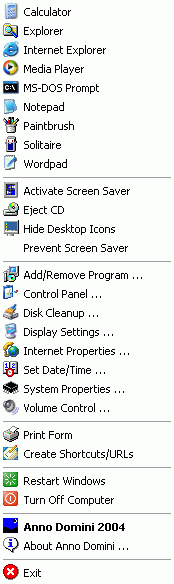
XP and 2000 users now see miniature icons for common Windows applications and desktop utilities which are run from the Anno Domini menu.
4 Concurrent Alarms
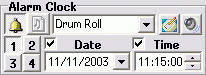
The number of active alarms you can set from within Anno Domini has now increased from one to four. Each alarm can have it's own unique sound and alarm message.
Help From Any Tab
Detailed help can be accessed from any tab via the question mark button the top right hand corner of your window as show below next to the close button:

New Font Pickers With Preview
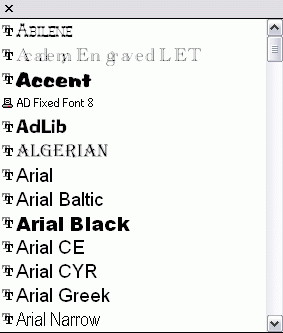
When selecting fonts for either the main calendar view or for reports, you can now view a preview of all of the installed fonts so that it is now easier to choose the font you wish to use as shown below:
 Weather
Forecasts
Weather
Forecasts
A new "Weather" button has been added to the On This Day tab giving you access to weather forecasts from the Interent for all major locations around the world.
Registered users can download the free Anno Domini 2004 Update at http://www.anno-domini.net/Updates2004.htm
