Anno Domini 2003

Copyright (C) Enzo Ciaffarafá, 1995 - 2002
Shareware for IBM PC + Microsoft Windows XP, 2000, NT, ME, 98SE, 98 or 95
 Home  News  New Features  Bug Fixes  Revisions  Registration  Updates

AD 2003 New Features!

Anno Domini has undergone extensive modification since the last public release of Anno Domini, namely Anno Domini 2002, v1.06 on the 1st April 2002. Please find below details of all of the changes made which has resulted in the launch of Anno Domini 2003 on Sunday, 23rd June 2002. Click on any of the thumbnails below to see the screenshot in full size. Internet Explorer users can view these images clearer if you press the function key F11 to revert to full screen mode. Click here to go to the AD 2003 download page.



Calendar
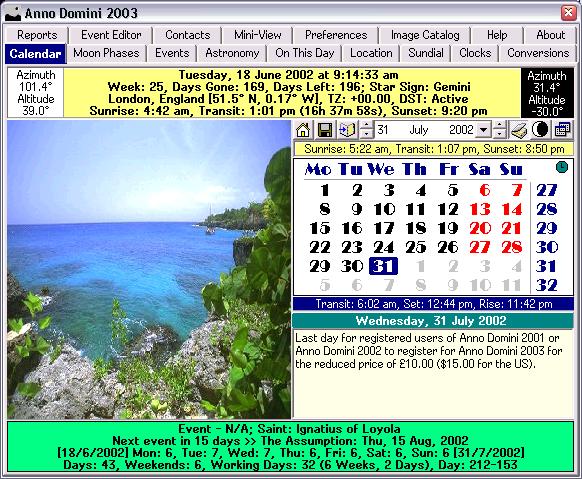
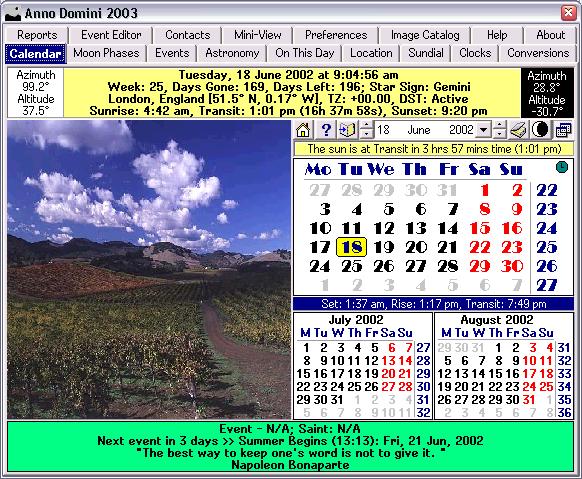
  1. Complete new set of images from Nature;
  2. Ability to expand the calendar images by downloading new sets from the internet;
  3. Display a countdown in days to the next event in your chosen event list;
  4. Display a random quotation from the supplied database;
  5. Click on the displayed quote with the mouse to generate a new random quote;
  6. Display a countdown in hours and minutes to the next solar event;
  7. Display graphically the current moon phase and tilt and update it in real-time;
  8. New Diary function available for years 2000-2009;
  9. Choose between 1 day per week view or full week diary view;
  10. Display an additional calendar for the previous month and the next month;
  11. Display an additional calendar for the next month and subsequent month;
  12. New Leap Year indicator shown when applicable;
  13. Improved speed when displaying calendars and images;
  14. New spin control for controlling the calendar month displayed;
  15. New Alarm function allowing you to display a note and sound an larm at a given date and time;
  16. New animated AD icon tells you whether your location is in twilight, daylight or night time;
 
 
Moon Phases
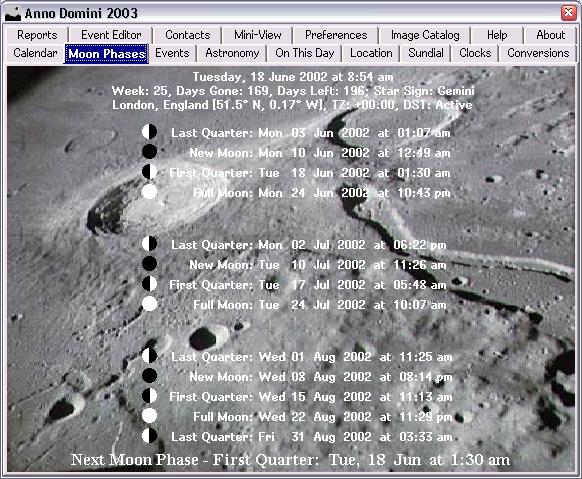
  1. No changes made;
 
Events
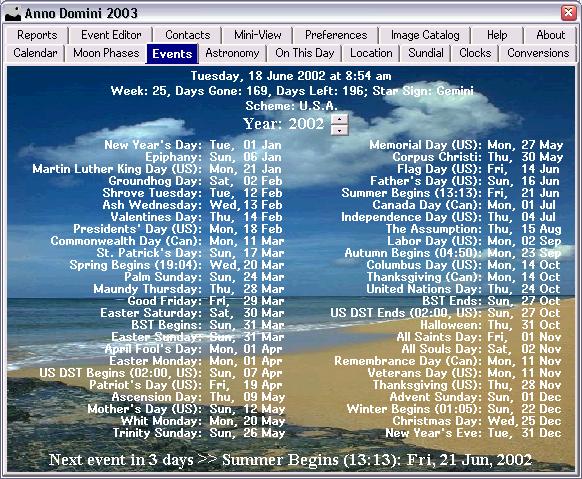
  1. One-off events as well as perpetual events can now be displayed;
 
Astronomy
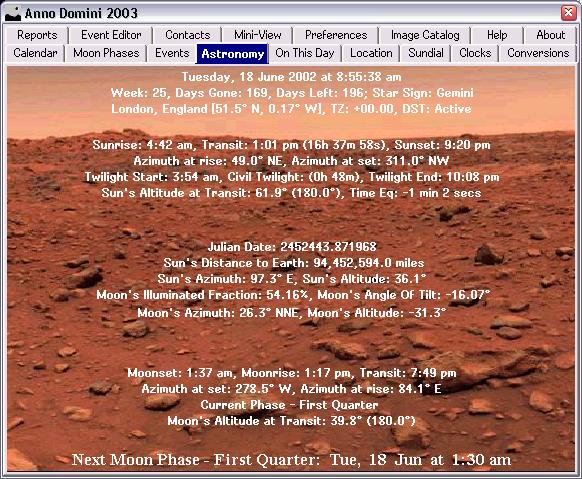
  1. Equation of Time reinstated;
 
On This Day
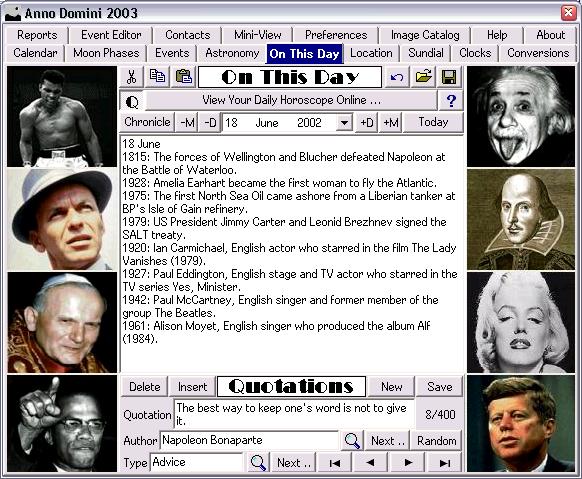
  1. New Quotation Editor with in-built database of Quotations;
  2. Database of 400 quotations supplied;
  3. Add/Edit/Delete your own quotations to the database;
  4. Search the database for a quotation by author;
  5. Search the database for a quotation by type;
  6. Generate a random quote;
  7. Maximum of 2000 Quotes permissible;
  8. Button to hide or display the Quotation editor in the window;
  9. Navigation controls supplied to explore the database of quotations;
  10. Expand the Quotation database via updates from the Internet;
Location
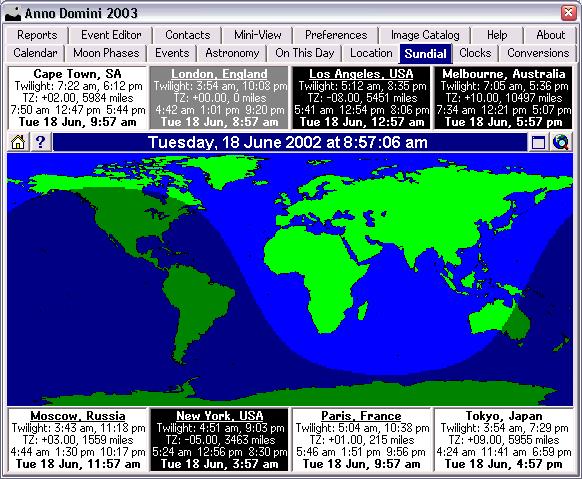
  1. The times of sunrise/transit/sunset are now displayed for each of your 8 chosen locations;
  2. Each of the 8 chosen locations now displays when that place is in twilight (morning in blue, evening in red), daylight (white) or night time (black) by the appropriate colour in the location box;
  3. Completely revised method of storing your chosen locations which now allows you to choose which of your existing locations you wish to replace when changing your favourites;
  4. The number of items shown in the listboxes has been increased for easier selection;
 
Sundial
  1. Completely redesigned algorithm for much faster display;
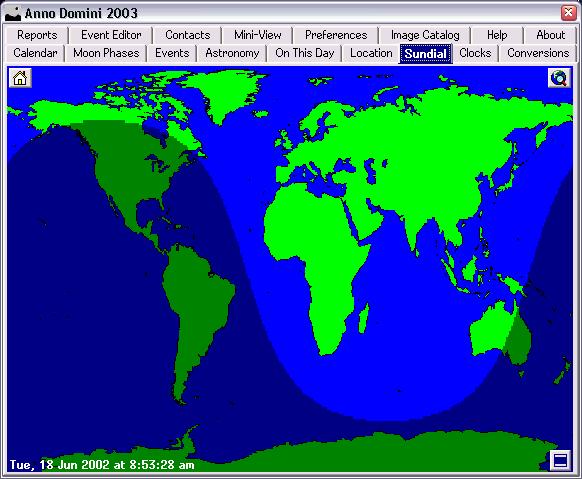
  2. New button added to toggle between the standard size of Sundial and a larger Sundial without any of the locations shown;
  3. The Sundial is no longer calculated when not visible to improve the efficiency of other Windows programs that may be running but instantly updates when the Sundial tab is reselected;
  4. As per the Location tab, each of the 8 chosen locations now displays when that place is in twilight (morning in blue, evening in red), daylight (white) or night time (black) by the appropriate colour in the location box;
  5. The latitude/longitude of each of your chosen locations has been replaced with the times of the start and end of Twilight for each of your 8 chosen locations;
  6. Map of the world now has improved graphics;
  7. The Sundial now updates every minute when displayed;
 
Clocks
  1. You can now choose the colour of the clock face from one of 16 predefined colours;
  2. You can now choose the colour of the clock hands from one of 16 predefined colours;
  3. You can now display digits on the clock faces;
  4. New time comparison table for Clock comparisons allowing you to easily view what time that location will be in at a later or earlier time and is updated in real-time;
 
Conversions
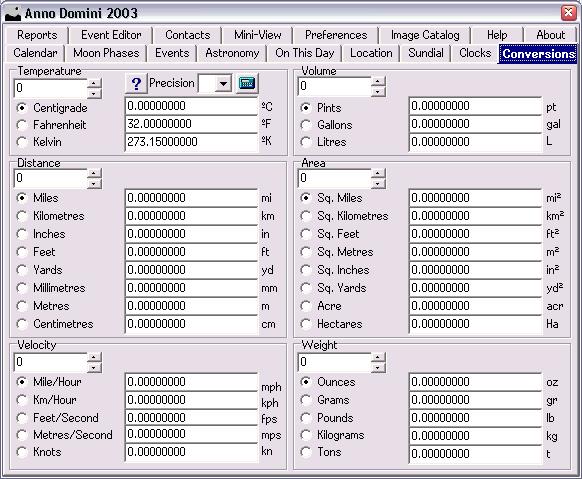
  1. All displayed results can now be copied and pasted into other documents and programs;
  2. New button added to access the windows calculator to manipulate your results;
 
Reports
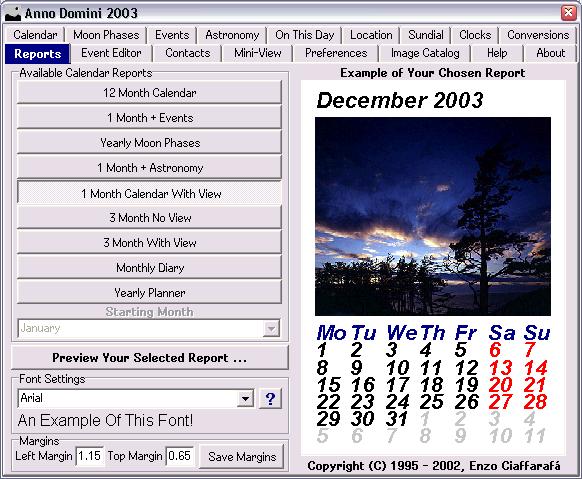
  1. All new Reports Generator;
  2. All new Print Preview system with full WYSIWYG;
  3. Choose any installed true type font for any of your reports;
  4. Full colour support now available in all of your reports;
  5. Choose a different font for each of your reports and adjust your margins for each report and save it to disk for recall the next time you run Anno Domini;
  6. New Mini-Preview now shows the layout of your chosen report before viewing;
  7. 12 Month calendar now shows dates in previous and next month for each calendar month in silver;
  8. Moon Phases report now includes a high resolution image of the moon;
  9. Events Report now shows you a calendar for the currently selected month along the dates and times of the moon phases that occur in that month;
  10. Astronomy Report also shows a calendar for the currently selected month along the dates and times of the moon phases that occur in that month;
  11. Additional Events report superimposing the image from nature for the current calendar month on your calendar;
  12. Additional Astronomy report superimposing the image from nature for the current calendar month on your calendar;
  13. New 1 month calendar report with the image from nature for the current calendar month shown along with a calendar for the current month;
  14. New 3 month calendar report showing large calendar for the current month along with two additional calendars of either the following two months or the previous and following months;
  15. New 3 month calendar with view report showing image from nature superimposed over large calendar for the current month along with two additional calendars of either the following two months or the previous and following months;
  16. New 2 Year Calendar report which shows the calendar months for the current calendar year and the following year formatted horizontally;
  17. New 3 Year Vertical Calendar report which shows the calendar months for the current calendar year, the following year and subsequent year formatted vertically;
  18. New 3 Year Horizontal Calendar report which shows the calendar months for the current calendar year, the following year and subsequent year formatted horizontally;
  19. New Yearly Planner calendar which displays a work planner for a given time period;
  20. Choose between 1 month right up to 1 year as the time period for your planner;
  21. Planners can span over two years, e.g. July 2002 - June 2003;
  22. New Weekly Diary report available for years 2000 - 2009 which contains all diary entries for the currently selected week;
 
Event Editor
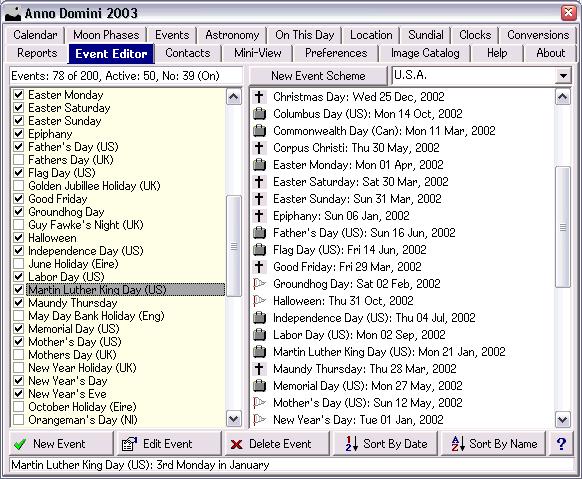
  1. Categorise each of your events from one of 18 categories;
  2. View your selected events sorted by name as well as by date;
  3. Redesigned interface for the Event Editor;
  4. The number of events per scheme has been increased from 150 to 200;
  5. Events can now be one-off instead of perpetual by specifying which year the event occurs in;
 
Contacts
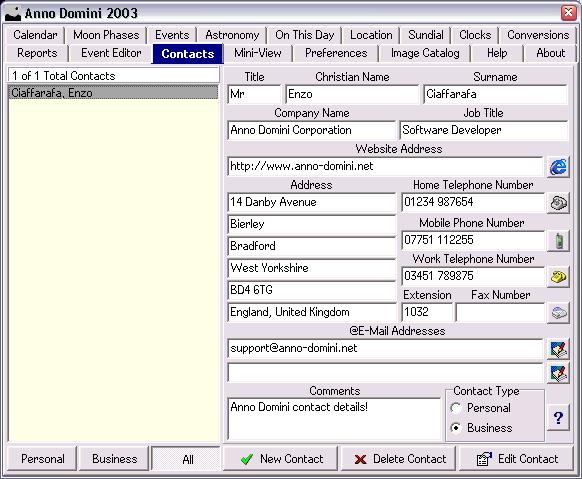
  1. All new tab allowing you to maintain an address book of contacts;
  2. Store up to 150 contacts;
  3. Categorize between personal and business contacts;
  4. Add your own comments about the contact;
  5. Store website addresses;
  6. Store e-mail addresses;
  7. Click on the phone number and computer will dial that number instantly;
  8. Click the website address and Internet Explorer will open at that address;
  9. Click the email address and your default e-mail client will open;
  10. Full editing facilities available for all of your contacts;
 
Mini View
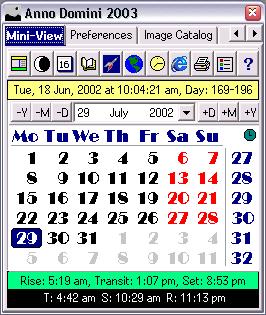
  1. No changes made;
 
Image Catalog
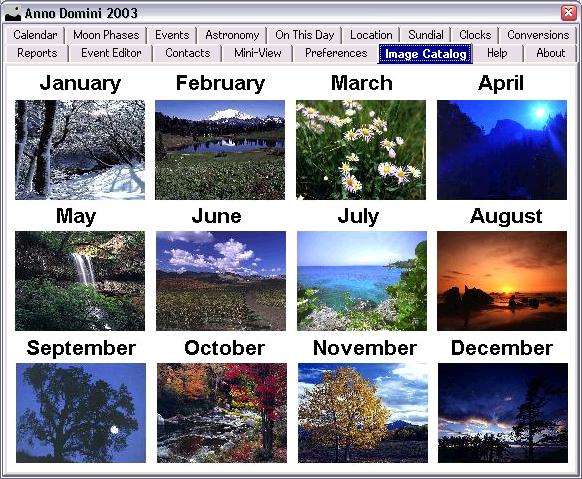
  1. New Image Catalog tab which displays all twelve images from your currently installed image set;
 
Help
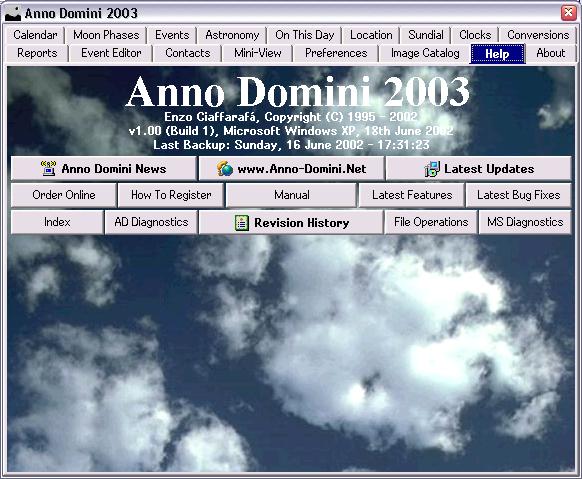
  1. New Anno Domini news feature linking you directly to the Anno Domini web-site to display you the latest Anno Domini news;
  2. New Automatic news gathering as Anno Domini will automatically tell you of the latest news whenever you connect to the internet;
 
Preferences
  1. Completely revised layout to allow for new functionality;
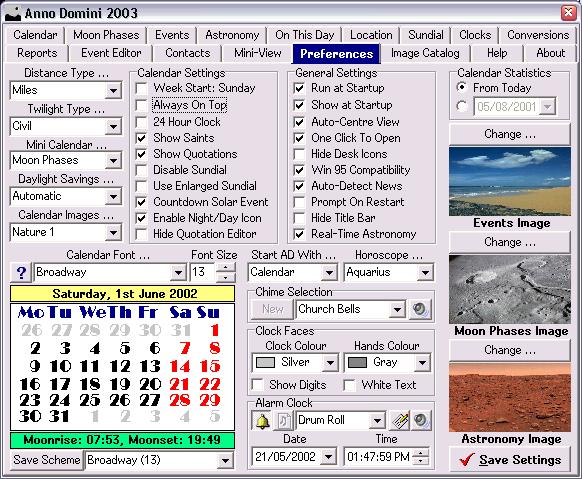
  2. Choose your calendar image set;
  3. Choose between the Diary, Moon Image or additional calendars;
  4. Choose between showing or hiding the Quotation Editor;
  5. Choose between Normal and Enlarged Sundial;
  6. Choose a colour for the clock face and hands;
  7. Choose whether the digits are displayed on the clock face;
  8. Choose between showing or hiding the countdown to the Solar Event;
  9. Enable or disable the Night/Day Icon;
  10. Enable or disable the Auto-Detect News function;
  11. Enable or disable the prompt when restarting or turning your PC off;
  12. Enable or disable updating the astronomy every second;
  13. Set the date, time, sound and note for one-off alarm;
 
General Feartures
  1. Icons are now displayed in Anno Domini menus;
  2. New Animated AD icon displaying twilight/daylight/night time;
  3. Fully revised help files;
  4. Fully revised installer which no longer reboots your computer when updating the program;
  5. Access the Display Settings dialog from the menu;
  6. Access the System Properties from the menu;
  7. Access the Internet Explorer from the menu;
  8. Access the Media Player from the menu;
  9. The tabs are now highlighted in blue;
  10. Save button added to the Calendar window to save the Diary entries.
 
In summary, over 100 new features have been added since the last release of Anno Domini on the 1st April 2002.