 Anno Domini 2007
Anno Domini 2007
Anno Domini 2007 New Features Overview
Anno Domini 2007 contains 10 major new features from the last release of Anno Domini 2006. A summary of the new features with example screen shots is shown below.
International Language Support
Anno Domini automatically adjusts the language used in the calendars generated by the program depending on the language setting used by Microsoft Windows. This means calendars can now be viewed and printed in up to 54 different foreign languages. Examples below show calendars in Spanish and Italian.


International Telephone Dialling Codes
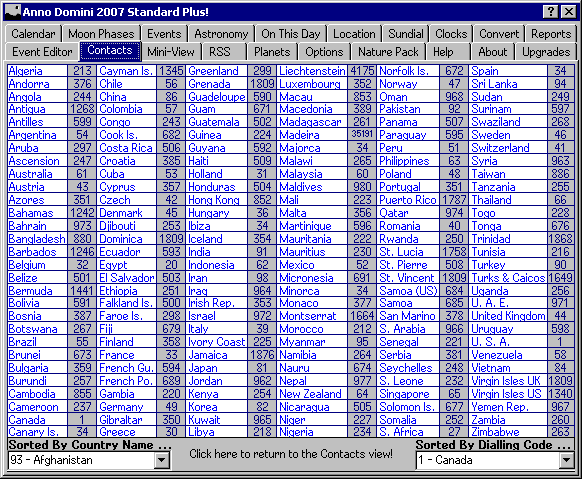
The Contacts tab has a new feature where by a simple click of the mouse will display a list of all the major International telephone dialling codes. Dialling codes can also be interrogated via country name or dialling code number via two drop-down list-boxes at the bottom of the Contacts tab.
Real-Time Foreign Exchange Conversions
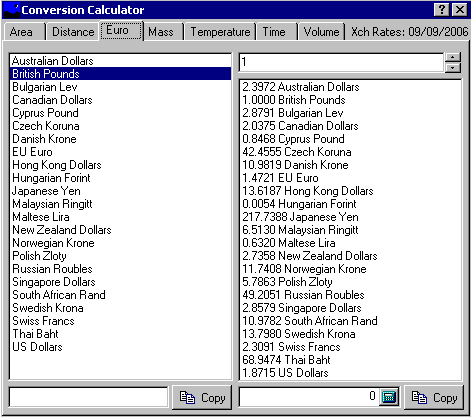
The Conversion Calculator is now available to Standard users users and has now been revised to include real-time daily updates of up to 23 different foreign currencies with four digits of precision. All data is downloaded automatically from the European Central Bank.
Chinese New Year and Passover Calendar Dates
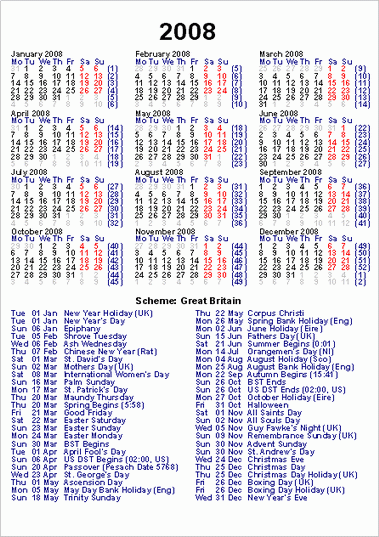
Thirteen new calendar events have been added to the database including two major events in the form of the dates of Chinese New Year and the Jewish Passover. These latter two events are not fixed and require detailed calculation which Anno Domini can now do for any year between 1752 and 2150 AD.


Revised Location Database in Degrees, Minutes Format
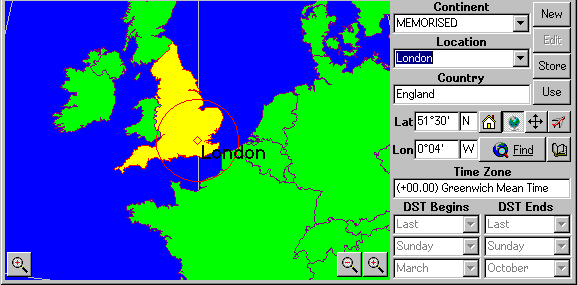
All locations held in the databases used by Anno Domini have been completely revised with greater precision. Users can now also enter and display locations in either decimal degrees or degrees and minutes.
Lunar and Solar Eclipse Predictions
Lunar and Solar Eclipse predictions are now available to Standard users via the Astronomy tab. The dates and times of the predictions have been greatly enhanced to ensure maximum accuracy.

Real-Time Astronomy Monitoring
Standard users can now monitor and view the current Julian Date and the distance of the Sun and the Moon to the Earth real time. A left mouse click on the current home location in the Calendar tab enables/disables this functionality.

1 Year + Calendar Report
The 1 Year + Calendar Report displays a yearly calendar with currently selected image from nature. Any one of the Nature Pack images can be displayed in the Report depending on the Nature pack being used and the currently selected calendar month. This report has replaced the 3 Month + View Report found in previous versions of Anno Domini.

1 Year + Events Report
The 1 Year + Events Report displays a yearly calendar with the currently selected Events Scheme. This report has replaced the 3 Year Vertical Report found in previous versions of Anno Domini.
Automatic Data Backup Without Prompt
Users now have the choice of allowing Anno Domini to automatically backup critical data files without prompting the user. The prompt can be turned on or off via the Automatic Backups setting in the Options tab.

